Close your IBKR account
How to close your IBKR account and liquidate or transfer any remaining balance.
Updated 16 June 2026
If you’d like to close your Interactive Brokers account entirely, you can initiate the process from within the IBKR Client Portal. Before closing, IBKR will require you to liquidate any open positions and transfer any remaining cash balance to your bank account.
1. Log in and open Settings
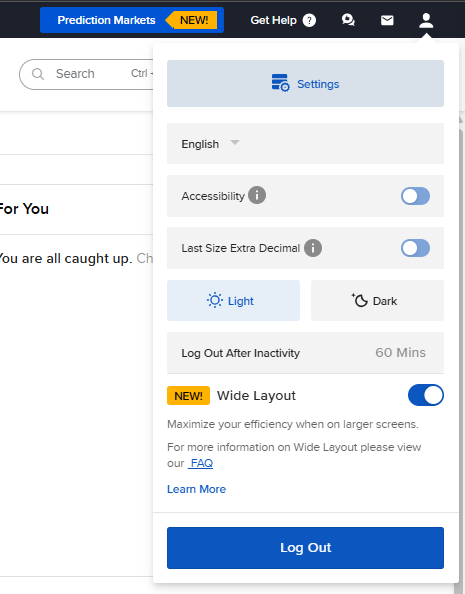
Log in to your IBKR Client Portal, then click Settings in the top-right corner of the screen.
2. Click Close Account
Under Account Settings, click Close Account.
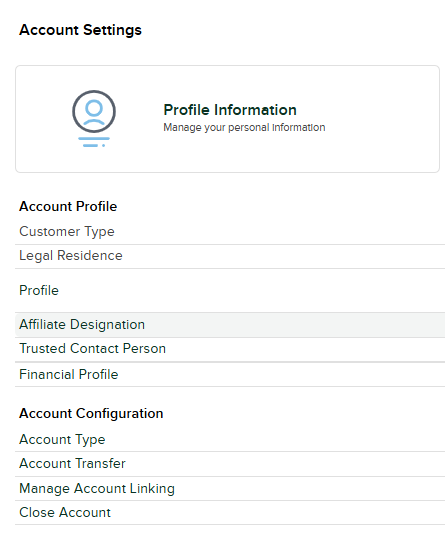
Select Close Account from the Account Configuration section.
3. Follow the closure steps
You will be redirected to a page that walks you through the steps required to close your account. This includes liquidating any assets currently held and transferring any remaining cash balance to your bank account.
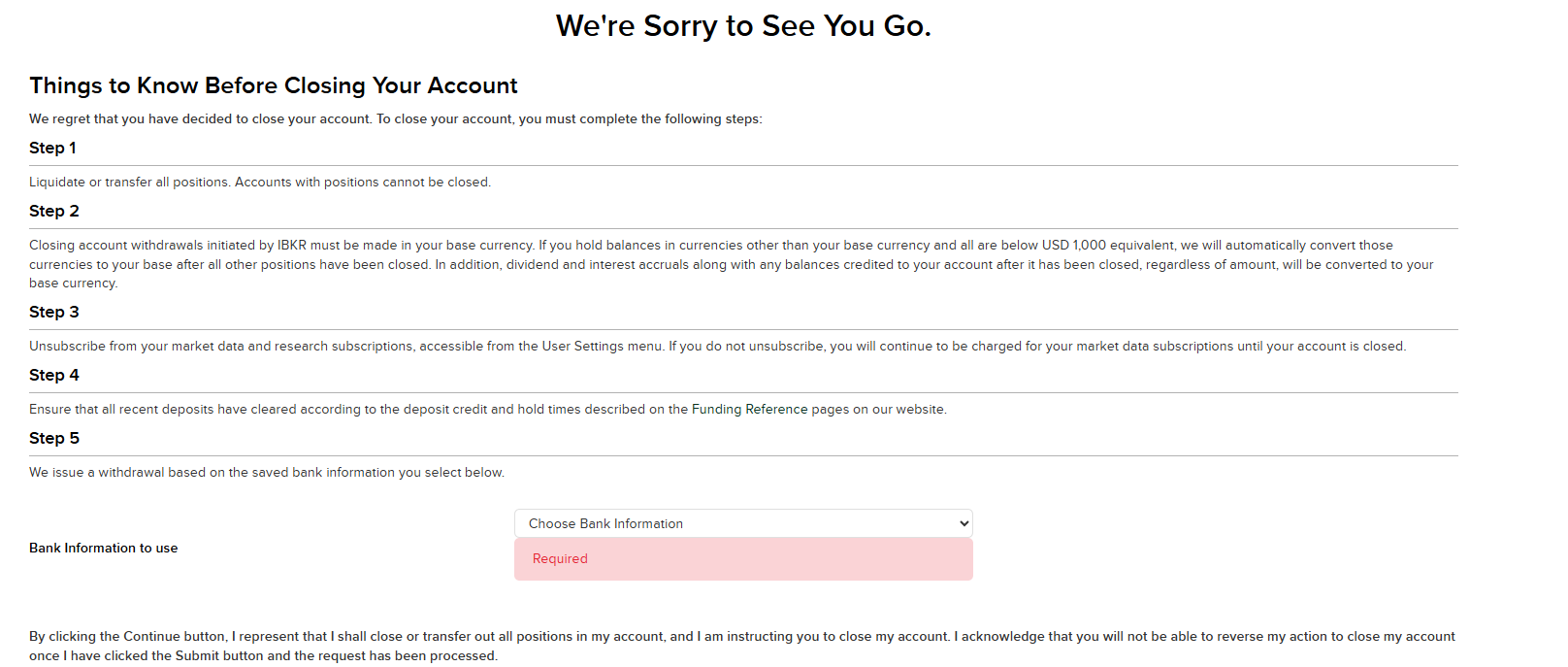
Follow the on-screen steps to liquidate positions and transfer your remaining cash balance.