Transfer positions from an external broker
How to transfer positions into IBKR from an external broker, including ACATS, plus tips to avoid rejections.
Updated 16 June 2026
Use this guide to move positions from an external broker into your IBKR account. IBKR supports several transfer methods depending on where your current broker is located.
1. Open the Transfer menu
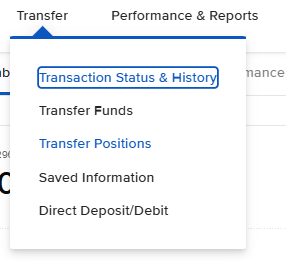
After logging in, click Transfer in the top navigation bar.

2. Select Transfer Positions
In the Transfer menu, click Transfer Positions.
3. Choose Incoming
Click Incoming to transfer assets from an external broker into your IBKR account.

Choose Incoming — Transfer Assets into your IBKR account.
4. Select the region of your broker
From the Select Region dropdown, choose the region where your external (delivering) broker is located.
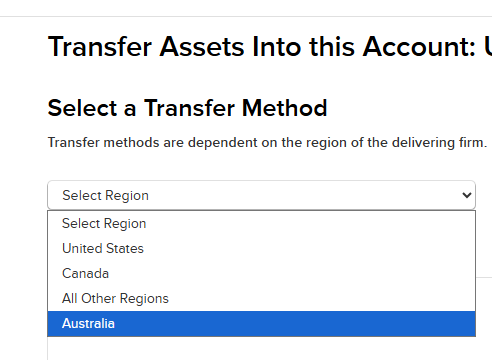
Select the region that matches your delivering broker’s location.
5. Choose the transfer method
Select the transfer method that applies to your broker. For US broker-to-broker transfers, ACATS (Automated Customer Account Transfer Service) is the most common option.
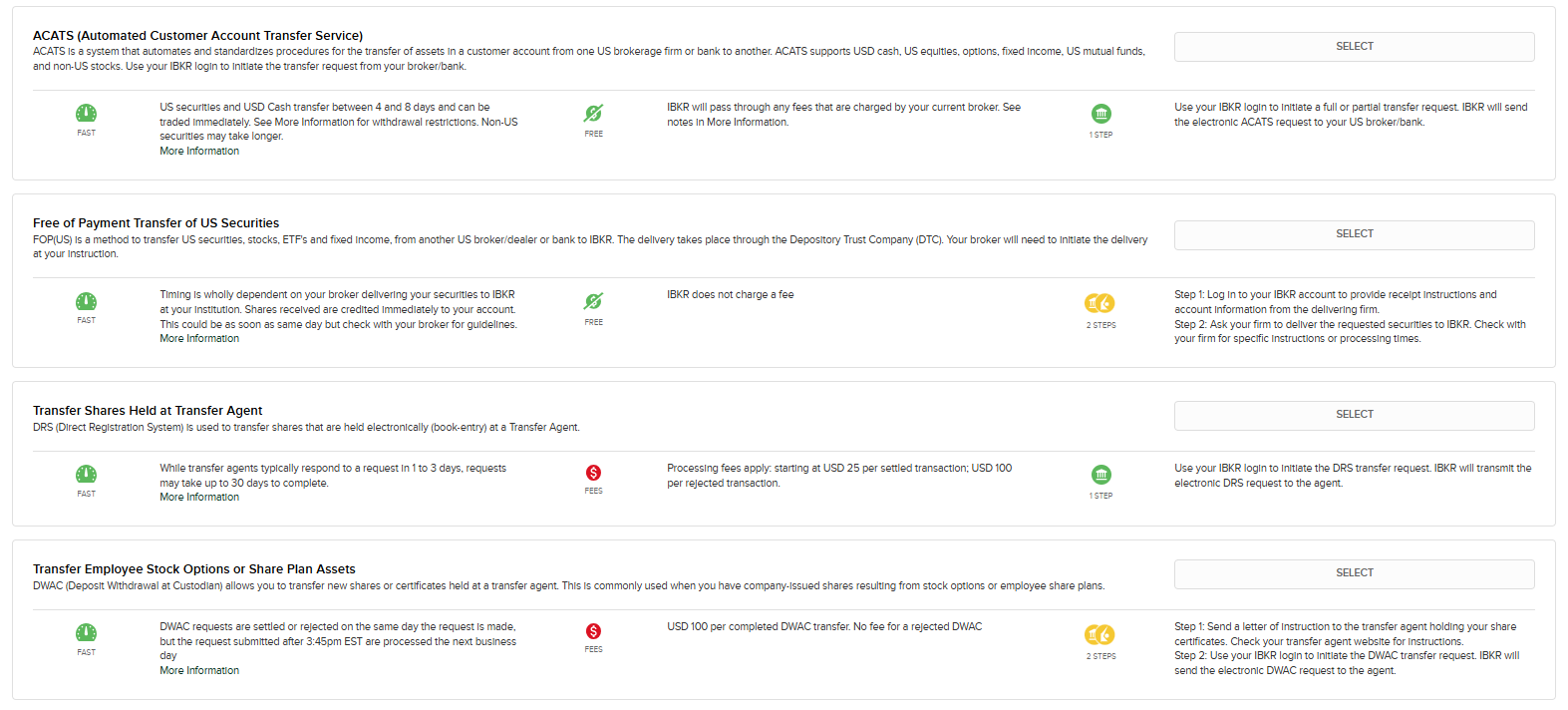
Select the appropriate transfer method — ACATS for most US broker-to-broker transfers.
6. Enter the delivering broker’s details
Fill in the broker information form with the following details:
- Broker name — select your current broker from the popular broker list or the dropdown
- DTC number (for US transfers) or your account number at the delivering broker
- Account Number at Broker — your account number at the delivering broker
- Account Title — the name on your account (must match exactly at both brokers)
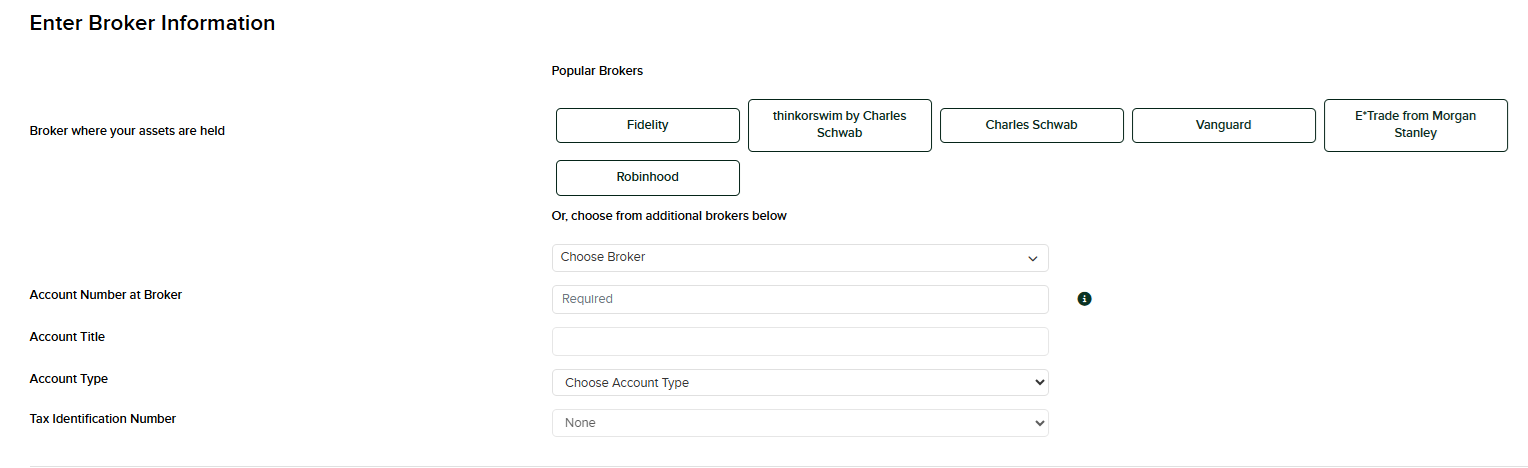
Enter your delivering broker’s details. The Account Title must match exactly between both accounts.
7. Select positions to transfer
Choose whether you want a Full Transfer (all positions) or a Partial Transfer (specific assets). For partial transfers, specify each security by ticker symbol and quantity.
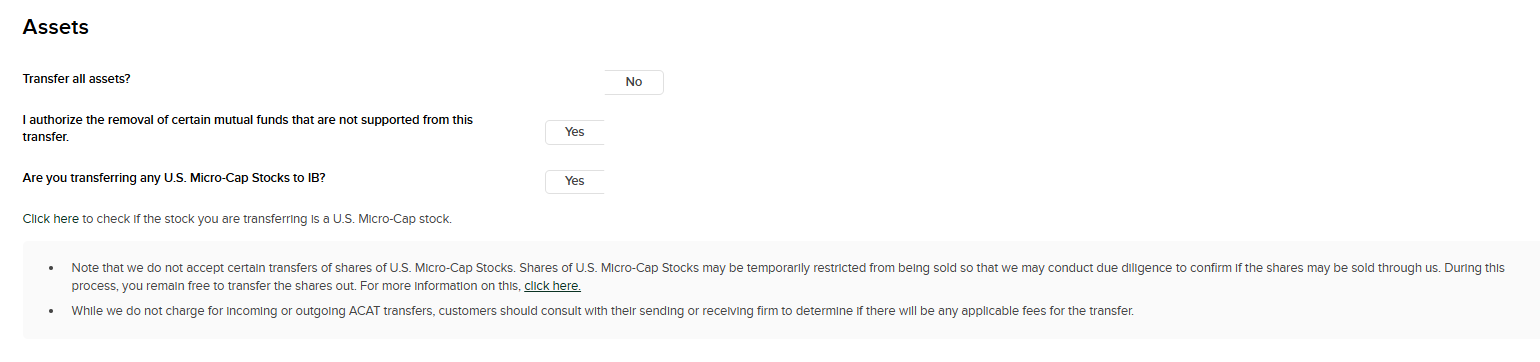
Select full or partial transfer, and confirm which assets to include.
8. Review and submit
Review all details carefully, then confirm and submit the transfer request. IBKR will generate a transfer instruction and send it to your delivering broker.
9. Approve at the delivering broker
Log in to your external broker’s platform (or contact your relationship manager there). Locate the incoming transfer request — they may reach out to you, or you may need to approve it manually. Confirm and authorise the outgoing transfer on their end.
You can monitor the transfer status at any time in the IBKR Client Portal under Transfer & Pay → Transfer Status.
Tips and things to watch out for
Account name must match
The account title must be identical at both brokers. Even a small mismatch will cause the transfer to be rejected.
Outgoing transfer fee
Your current broker may charge an outgoing transfer fee, typically $50–$150. Check with them before initiating.
- Options, mutual funds, and certain foreign securities may not be transferable and may need to be liquidated before the transfer.
- Make sure your positions are not restricted or under a trading lock at the delivering broker.
- IBKR may require positions to be supported and listed on their platform before accepting them.
- ACATS transfers typically take 3–5 business days to complete.
- International transfers can take 1–3 weeks, depending on the broker and country.