Make an internal cash transfer in IBKR
How to move cash between two IBKR accounts using an internal transfer.
Updated 16 June 2026
Use the steps below to move cash between two Interactive Brokers accounts from the IBKR Client Portal.
1. Open the Transfer Funds menu
Once logged in, click Transfer in the top navigation bar, then select Transfer Funds.
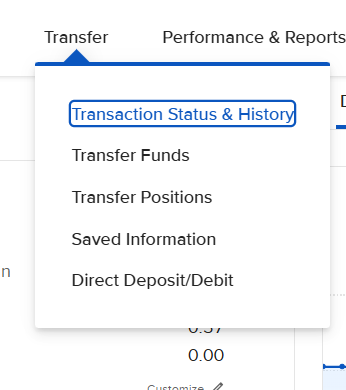
Click Transfer in the top nav, then choose Transfer Funds.
2. Select Internal Transfer
You will be redirected to the Transfer Funds page. Click Internal Transfer — “Between Interactive Brokers accounts.”
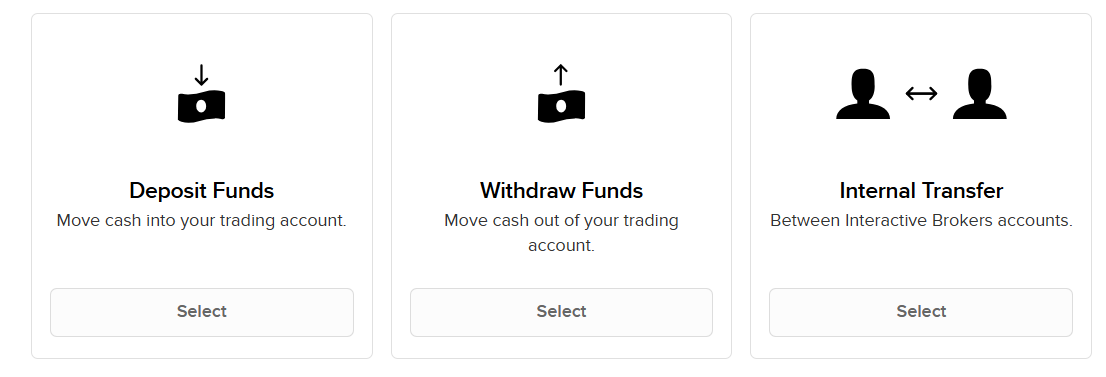
Choose Internal Transfer to move cash between your IBKR accounts.
3. Enter the account details
You will be taken to the Internal Transfer form. Enter the Source Account (the account the funds are coming from) and the Destination Account (the account the funds are going to), then click Continue and follow the on-screen instructions to complete the transfer.
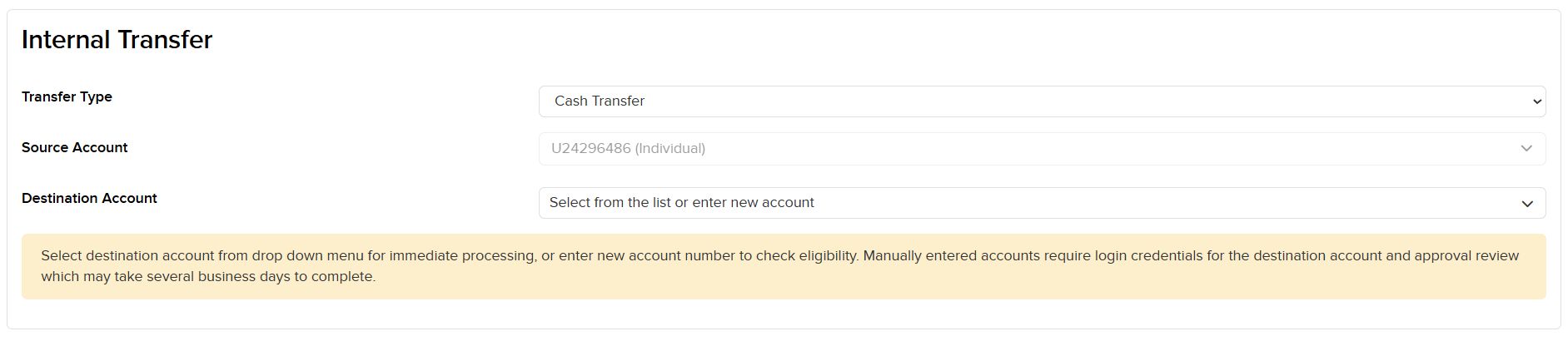
Select the source and destination accounts, then click Continue.
You can select the destination account from the dropdown for immediate processing, or enter a new account number to check eligibility. Manually entered accounts require login credentials for the destination account and an approval review, which may take several business days.