Link your IBKR account to Vault
Already have an Interactive Brokers account? Here's how to link it to Vault from the IBKR Client Portal — in five steps.
Updated 16 June 2026
If you already hold an Interactive Brokers (IBKR) account, you don’t need to open a new one — you can link your existing account to Vault directly from the IBKR Client Portal. Once linked, the Vault team can manage your portfolio on your behalf, and you keep your existing IBKR username.
The steps below take a few minutes. After you submit, IBKR takes 1–3 business days to activate the link.
1. Log in to the Client Portal
Sign in to the IBKR Client Portal / Account Management at interactivebrokers.com using your existing IBKR username.
2. Open Manage Account Linking
Open the User menu — the head-and-shoulders icon in the top-right corner — then go to Settings → Account Configuration → Manage Account Linking.
3. Choose how to link
Select Link my Existing Account to an Advisor/Broker, then press Continue.
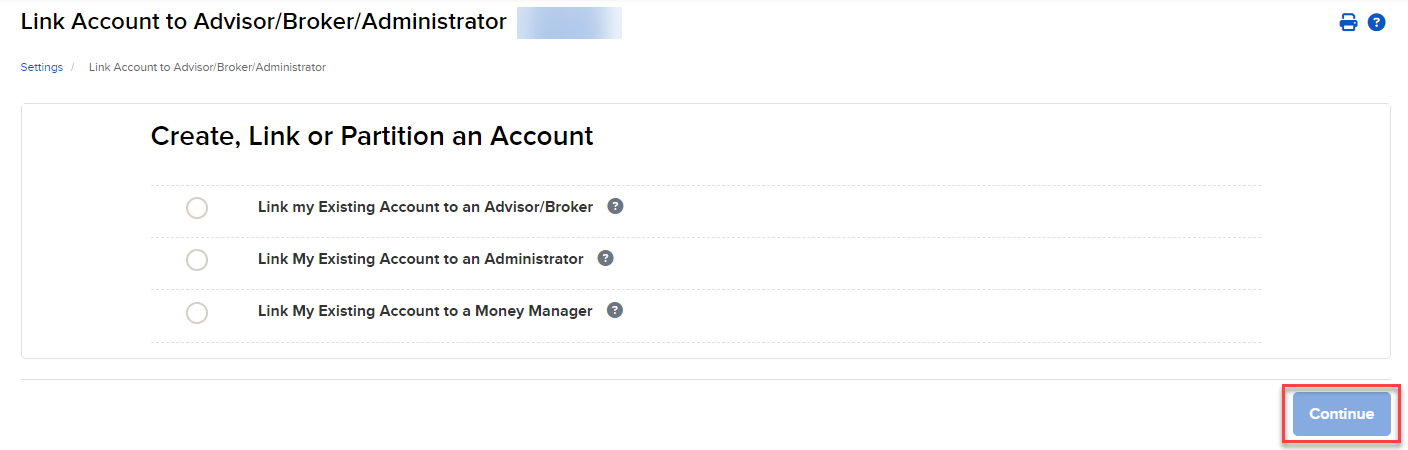
Choose “Link my Existing Account to an Advisor/Broker”, then press Continue.
4. Enter Vault’s account details
Enter Vault’s Account ID and Account Title exactly as shown below, then press Continue.
Vault’s account details
Account ID:
F9998334
Account Title:Vault Wealth Limited
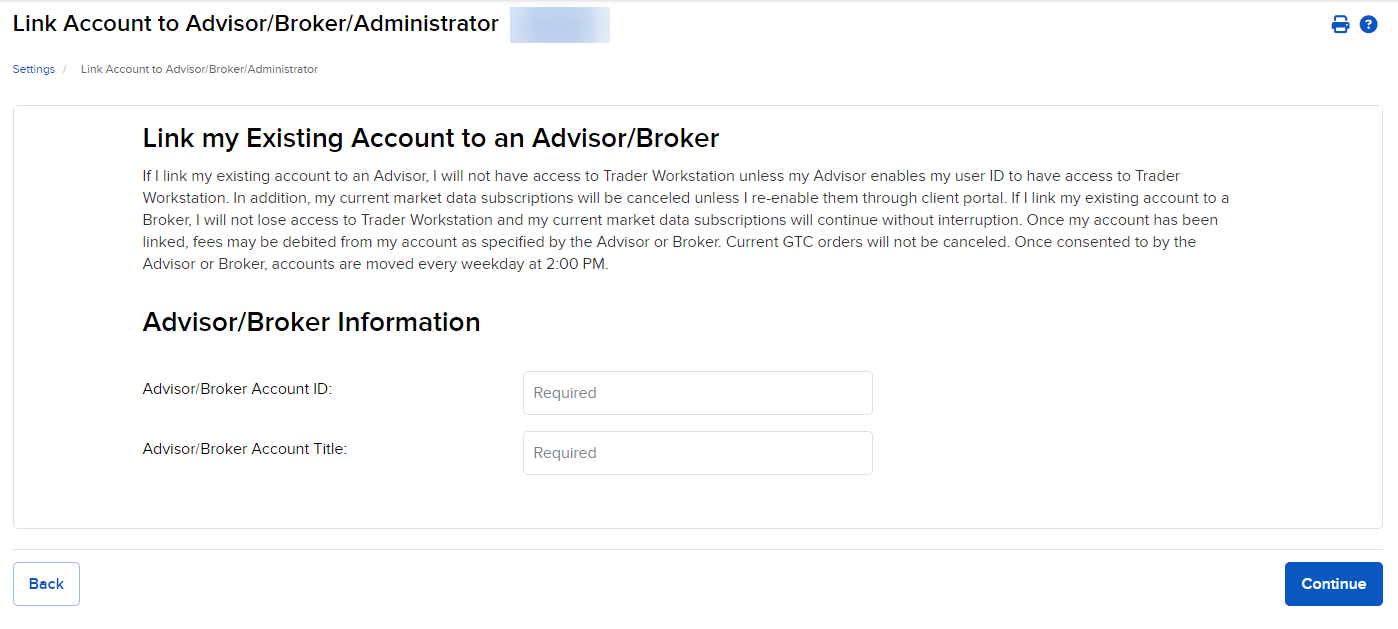
Enter the Account ID and Account Title in the Advisor/Broker Information fields.

5. Sign the agreements and submit
Review and sign the required agreements, then press Continue to submit your request.
What happens next
Once you submit, IBKR usually takes 1–3 business days to process the link. You’ll receive a notification in the IBKR Message Center when it’s active.
Need a hand at any step? Your Vault advisor is happy to walk you through it.