Get classified as a Professional Client
How to unlock private markets by submitting a net-wealth statement for Professional Client classification — on mobile or PC.
Updated 16 June 2026
Private Markets are exclusively available to Professional Clients. To unlock them, you need to submit a net-wealth statement and complete a short e-sign. You can do this from the Vault mobile app or from a PC browser.
On mobile
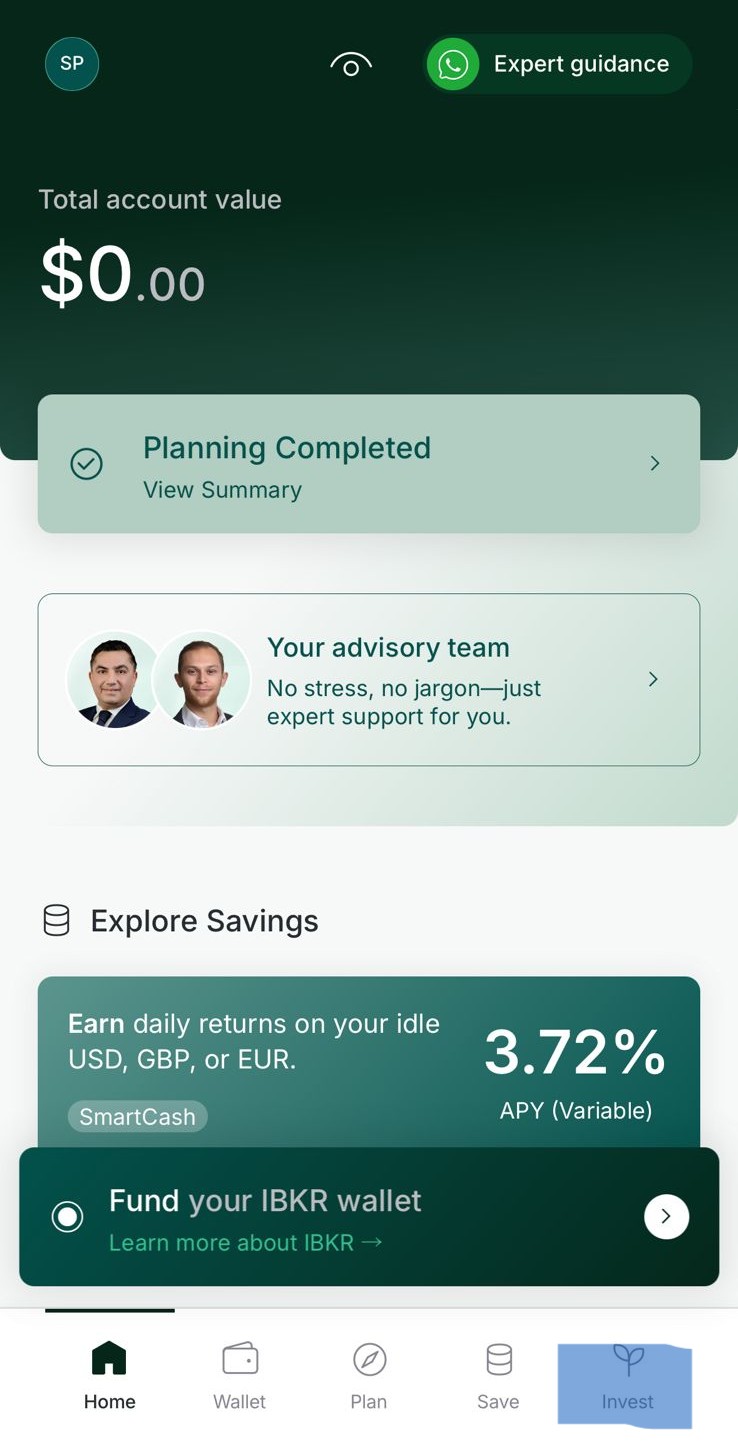
1. Open Invest
Tap Invest in the bottom navigation bar of the Vault app.
2. Switch to Satellite
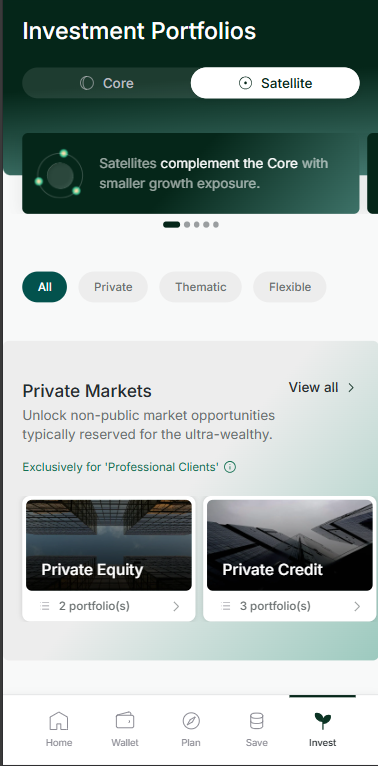
Tap Satellite at the top of the Investment Portfolios screen.
3. Select a Private Market
Scroll down to Private Markets and tap the one you are interested in.
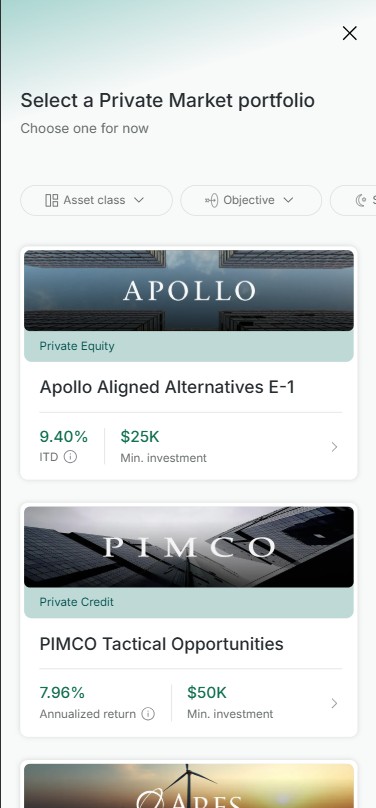
Choose the Private Market portfolio you want to invest in.
4. Upload your net-wealth statement and e-sign
Tap Upload a net wealth statement, follow the prompts to upload your document, then complete the e-sign.
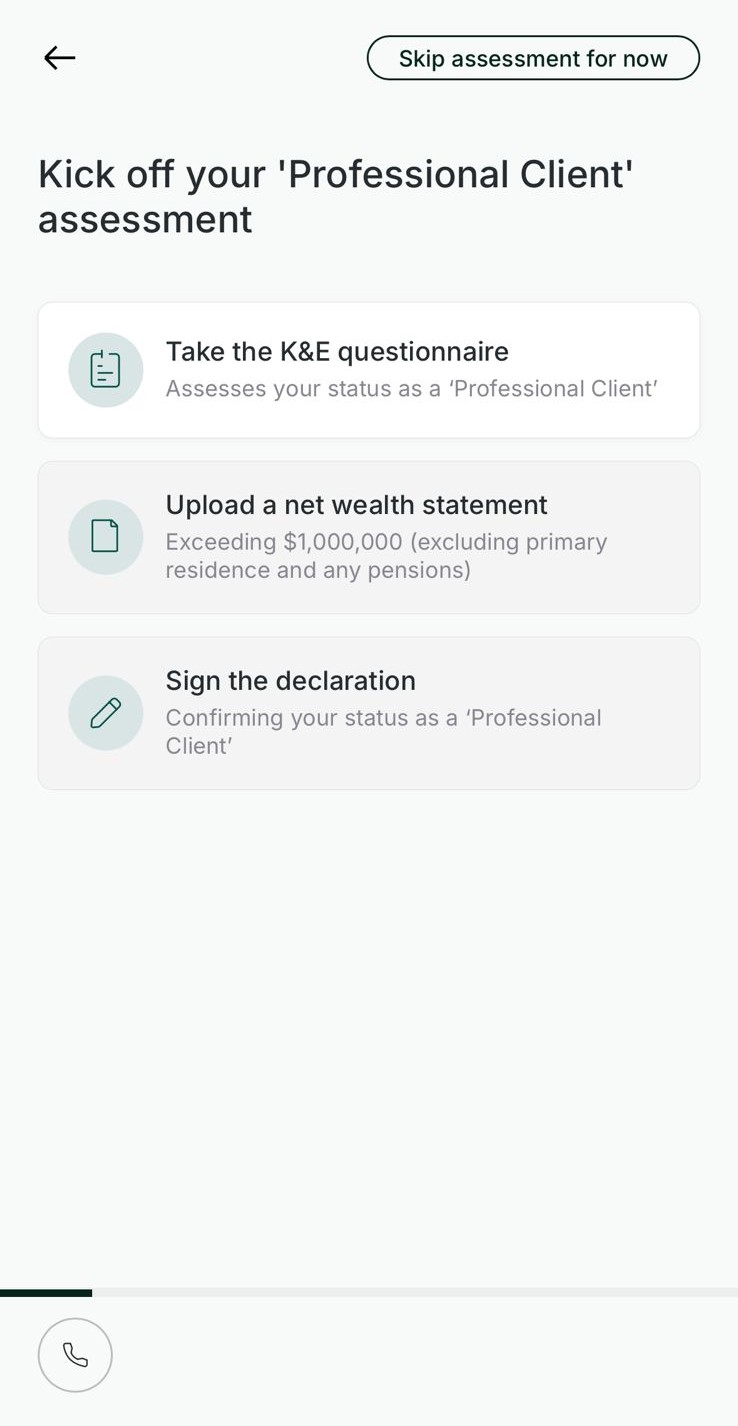
Upload a net-wealth statement exceeding $1,000,000 (excluding primary residence and pensions), then sign the declaration.
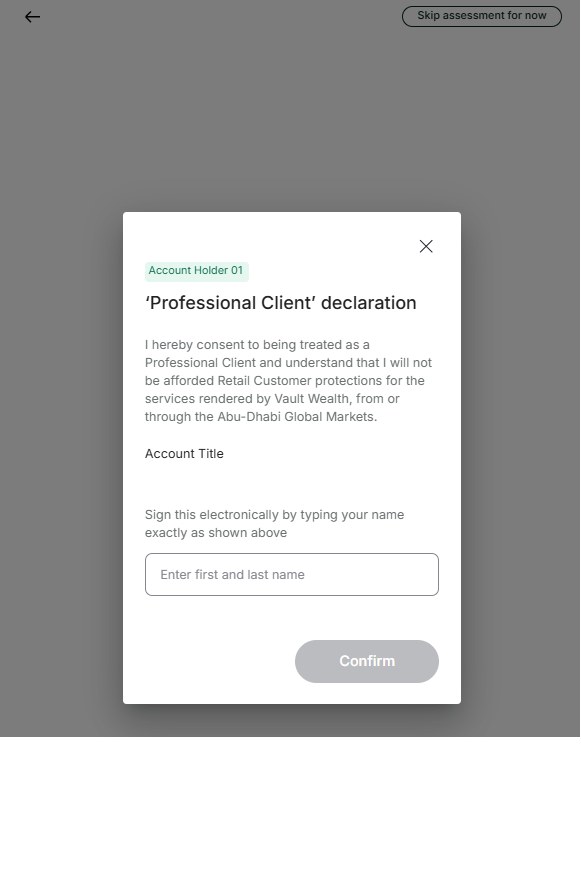
Type your full name as shown to sign the Professional Client declaration electronically.
On a PC browser
1. Open Invest
Click Invest in the left-hand sidebar of the Vault dashboard.
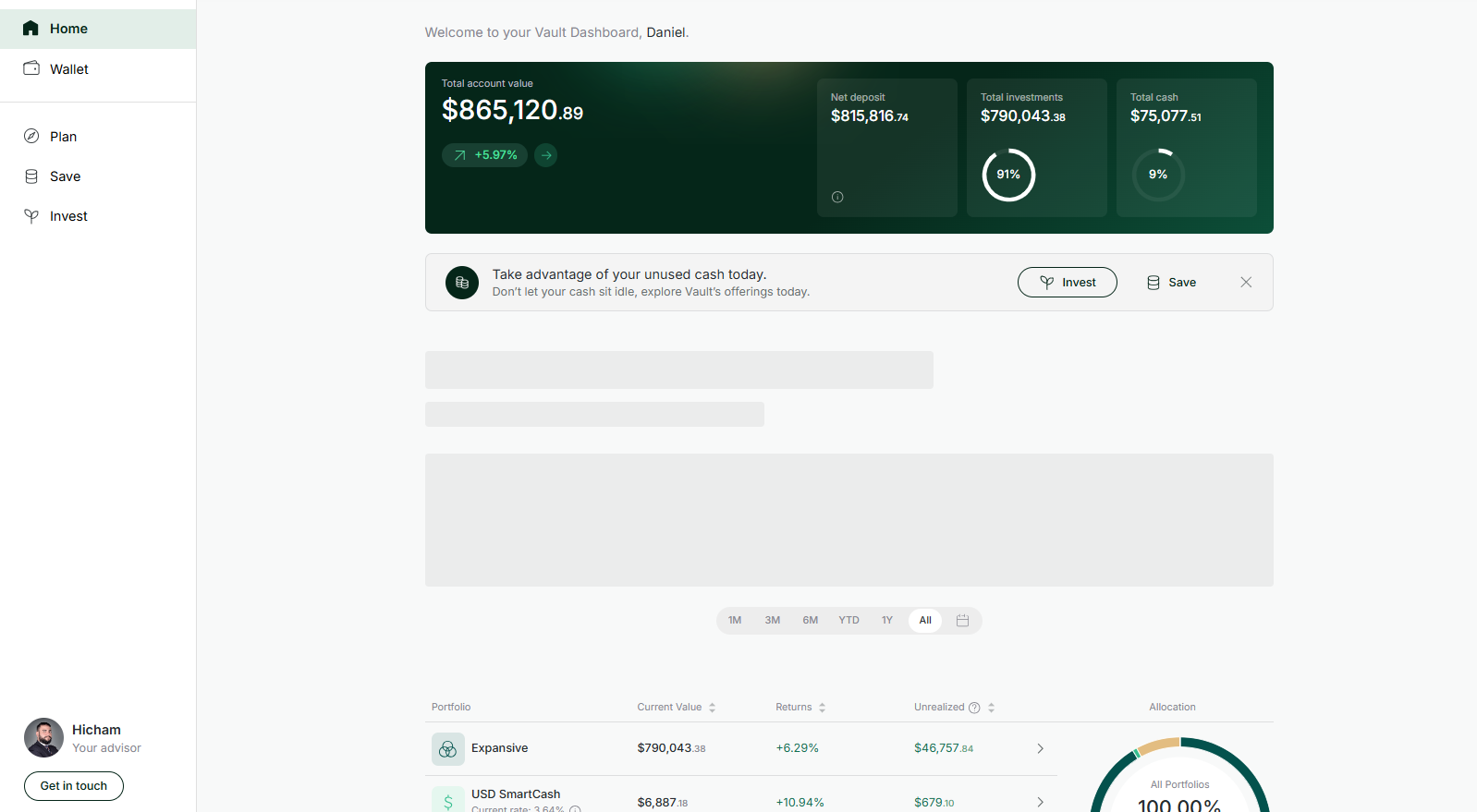
2. Switch to Satellite
Click Satellite at the top of the Investment Portfolios screen.
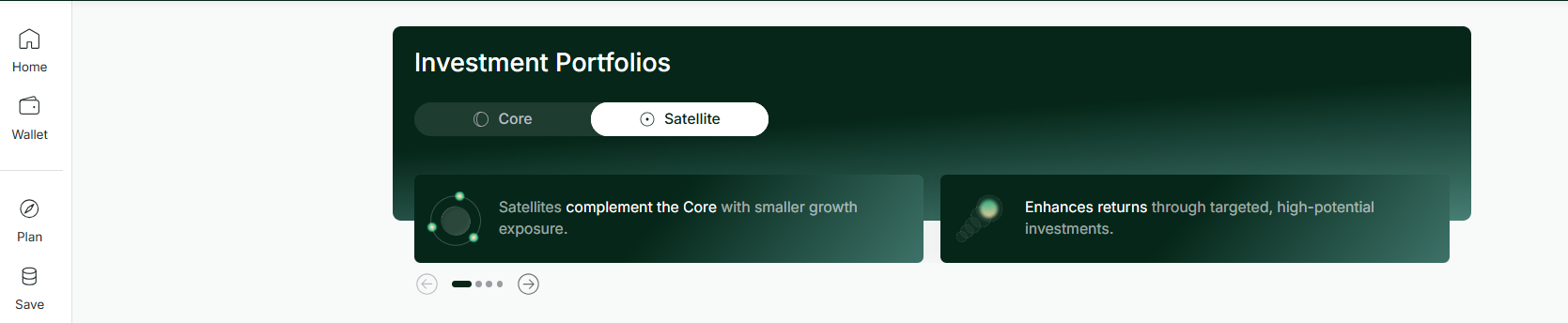
Select Satellite to reveal the Private Markets section.
3. Select a Private Market
Scroll down to Private Markets and click the portfolio you are interested in.
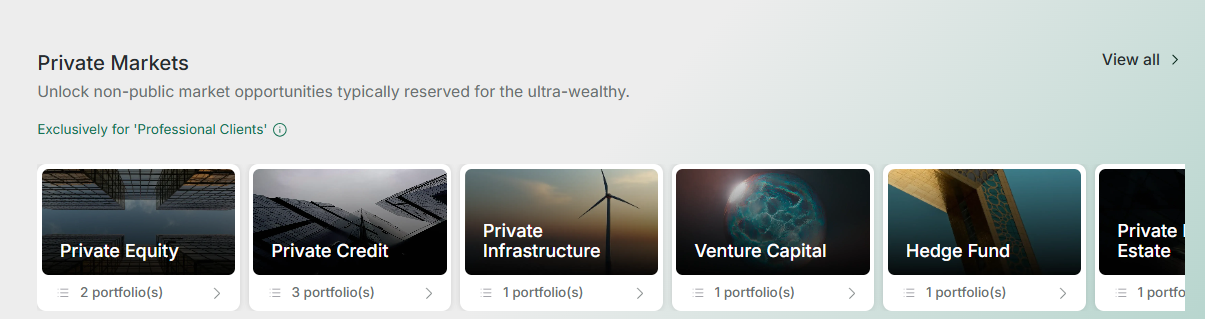
Choose a Private Market portfolio from the available options.
4. Click “Unlock Private Markets”
On the portfolio detail page, click Unlock Private Markets at the bottom of the screen.
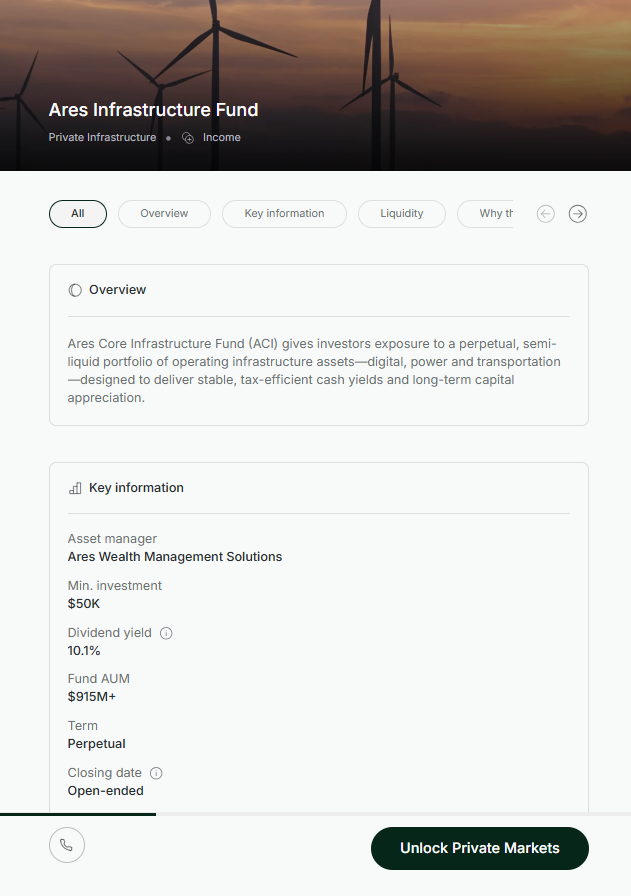
Press Unlock Private Markets to begin the Professional Client assessment.
5. Upload your net-wealth statement and e-sign
Click Upload a net wealth statement, complete the upload, then e-sign the declaration.
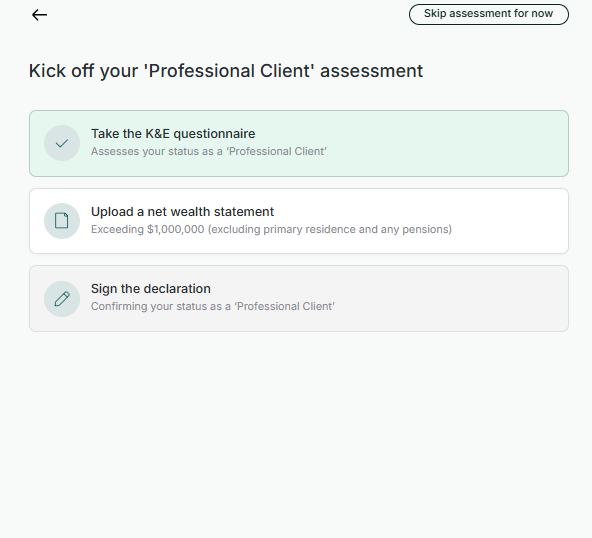
Upload a net-wealth statement exceeding $1,000,000 (excluding primary residence and pensions), then sign the declaration to complete your assessment.