Request your IBKR credentials
How to request your Interactive Brokers username and temporary password — from the browser or the Vault app.
Updated 16 June 2026
Before you can log in to Interactive Brokers directly, you need to request your IBKR username and temporary password. You can do this from the Vault web dashboard or the Vault mobile app.
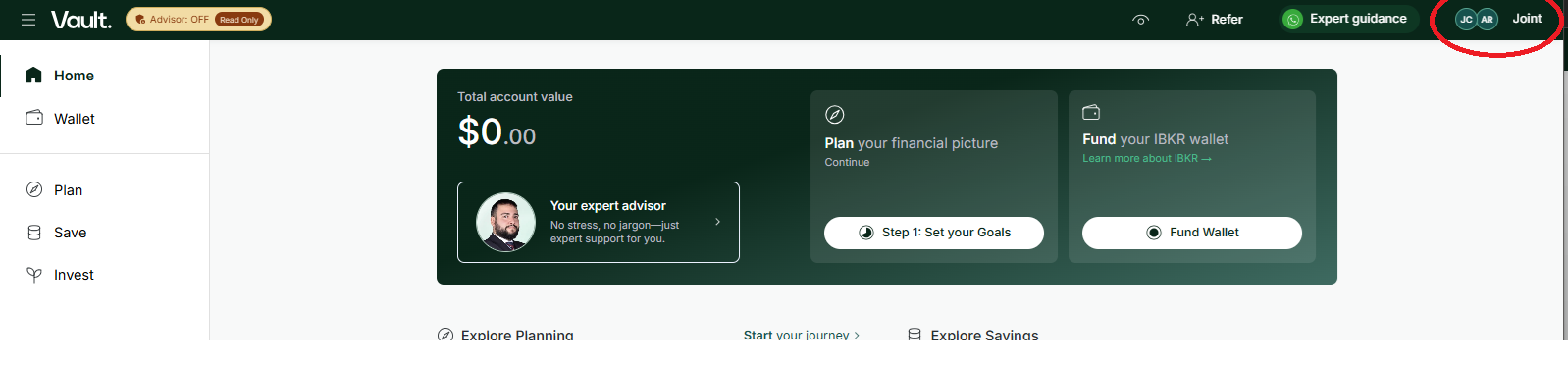
1. Open your profile
Click your profile avatar in the top-right corner of the Vault dashboard.
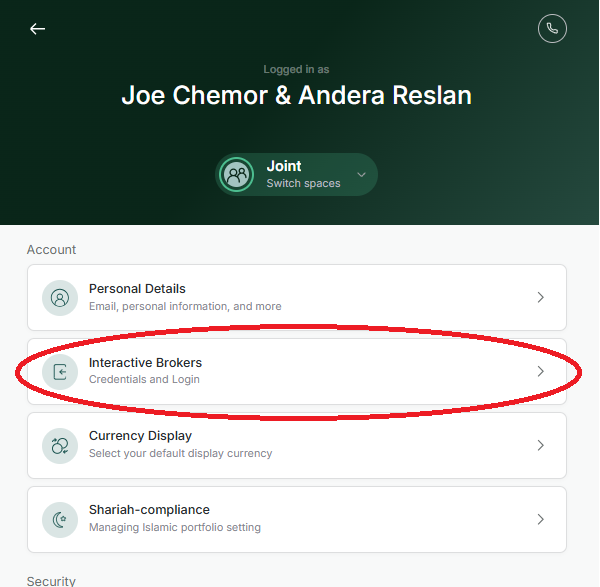
2. Select Interactive Brokers
In the settings menu that opens, select Interactive Brokers.
3. Request your credentials
Click Request IBKR Credentials. You will receive an email with your IBKR username and a temporary password.
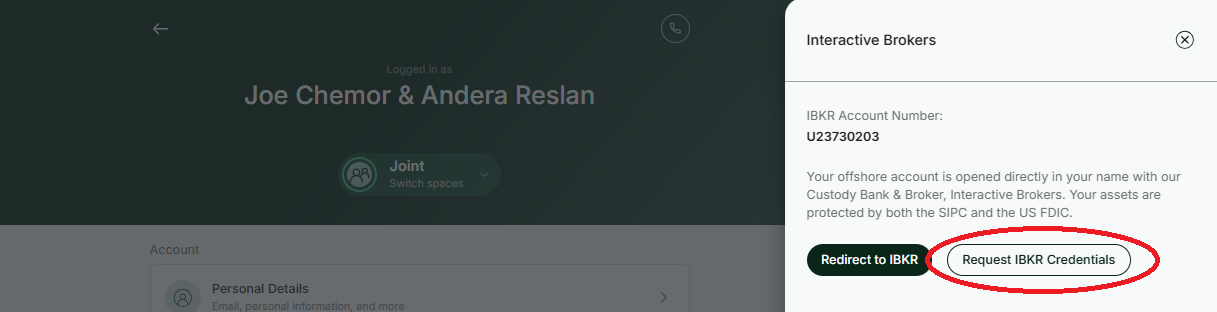
Click Request IBKR Credentials to receive your login details by email.
Once you have your credentials, log in to IBKR at https://www.interactivebrokers.co.uk/sso/Login.
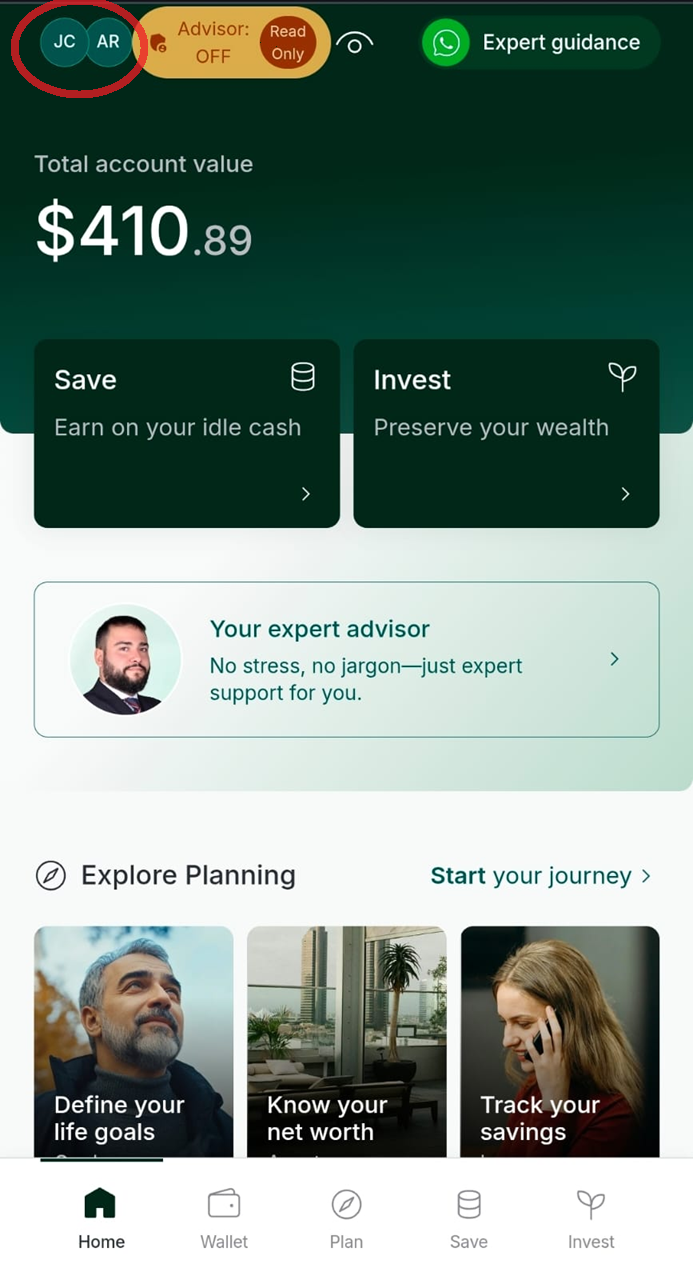
1. Open your profile
Tap your profile avatar in the top-left corner of the home screen.
2. Select Interactive Brokers
In the account settings screen, tap Interactive Brokers.
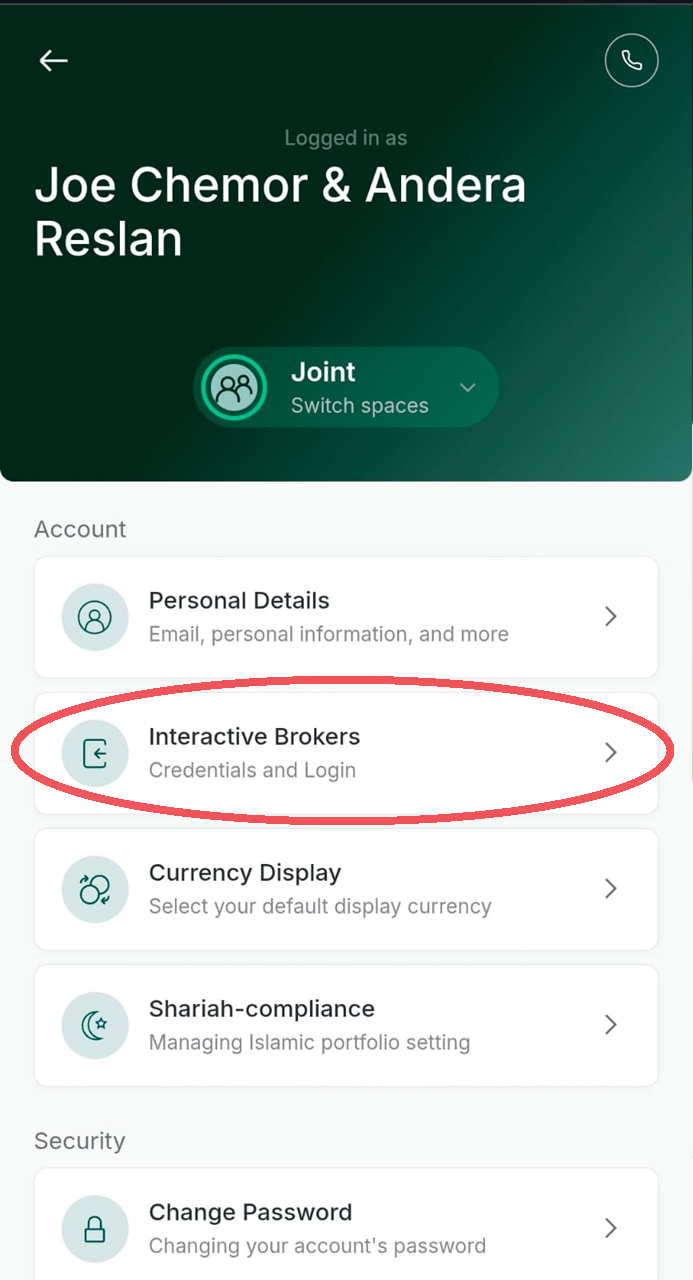
3. Request your credentials
Tap Request IBKR Credentials. You will receive an email with your IBKR username and a temporary password.
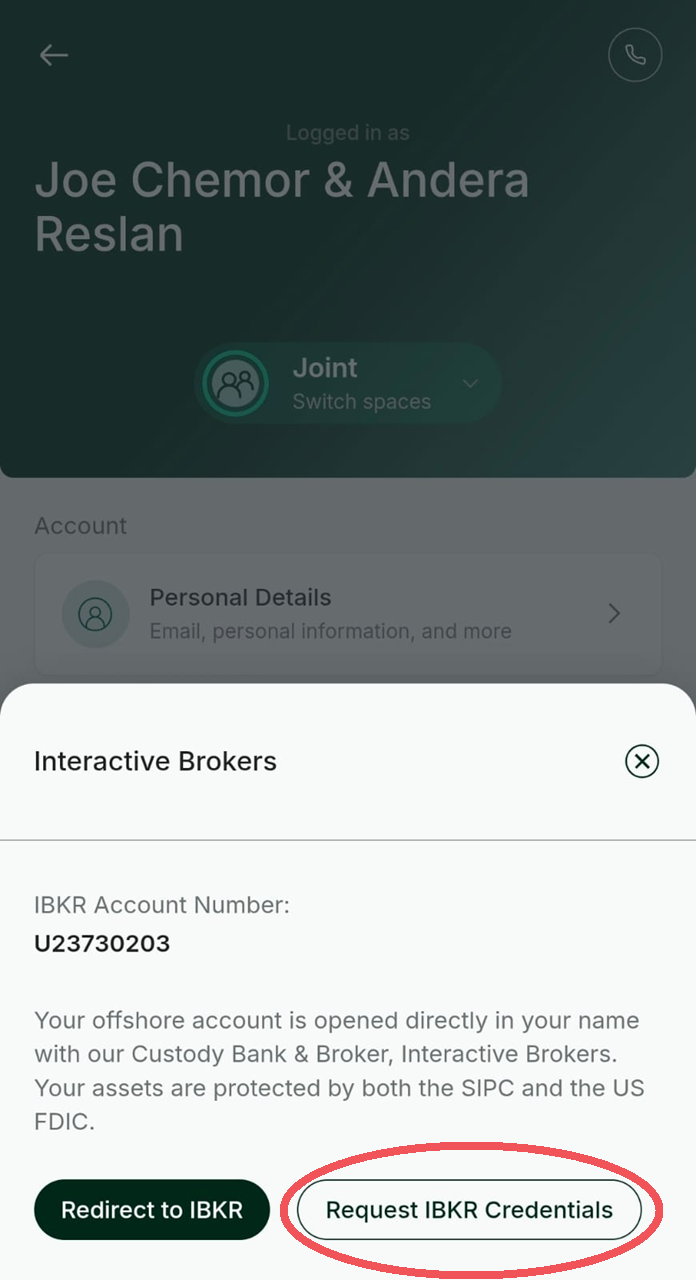
Tap Request IBKR Credentials to receive your login details by email.
Once you have your credentials, log in to IBKR at https://www.interactivebrokers.co.uk/sso/Login.