Set your trading permissions
How to review and update your IBKR trading permissions.
Updated 16 June 2026
You can review and request changes to your trading permissions directly in the IBKR Client Portal.
1. Open Settings
Click on Settings in the top-right corner of the Client Portal.
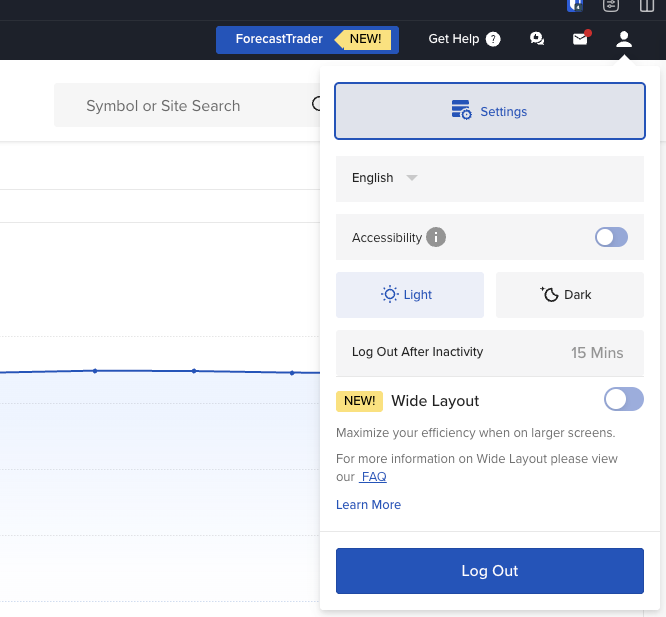
Click the Settings icon in the top-right corner to open the menu.
2. Select Account Trading Permissions
From the Account Settings page, click on Account Trading Permissions.
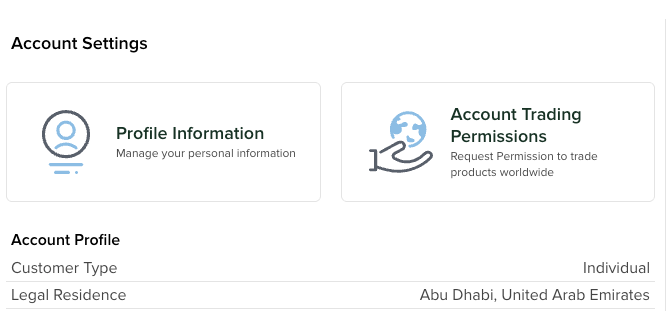
Select Account Trading Permissions to manage what you can trade.
3. Review the Trading Permissions page
You will be taken to the Trade Worldwide page, which lists all available asset classes.
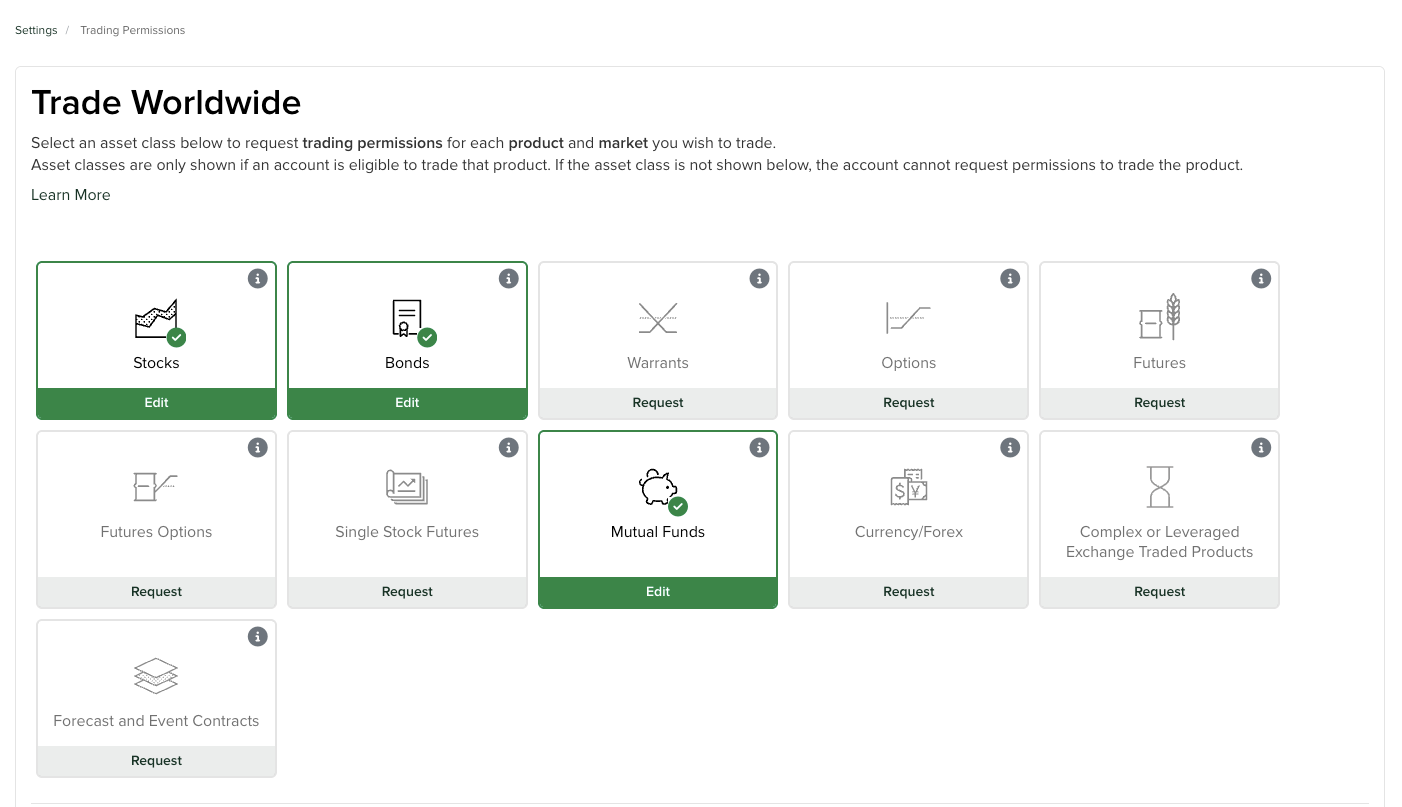
The Trading Permissions page shows each asset class and whether you already have permission or need to request it.
4. Choose your permissions and confirm
Select the appropriate options for your trading permissions, then click Continue to confirm.
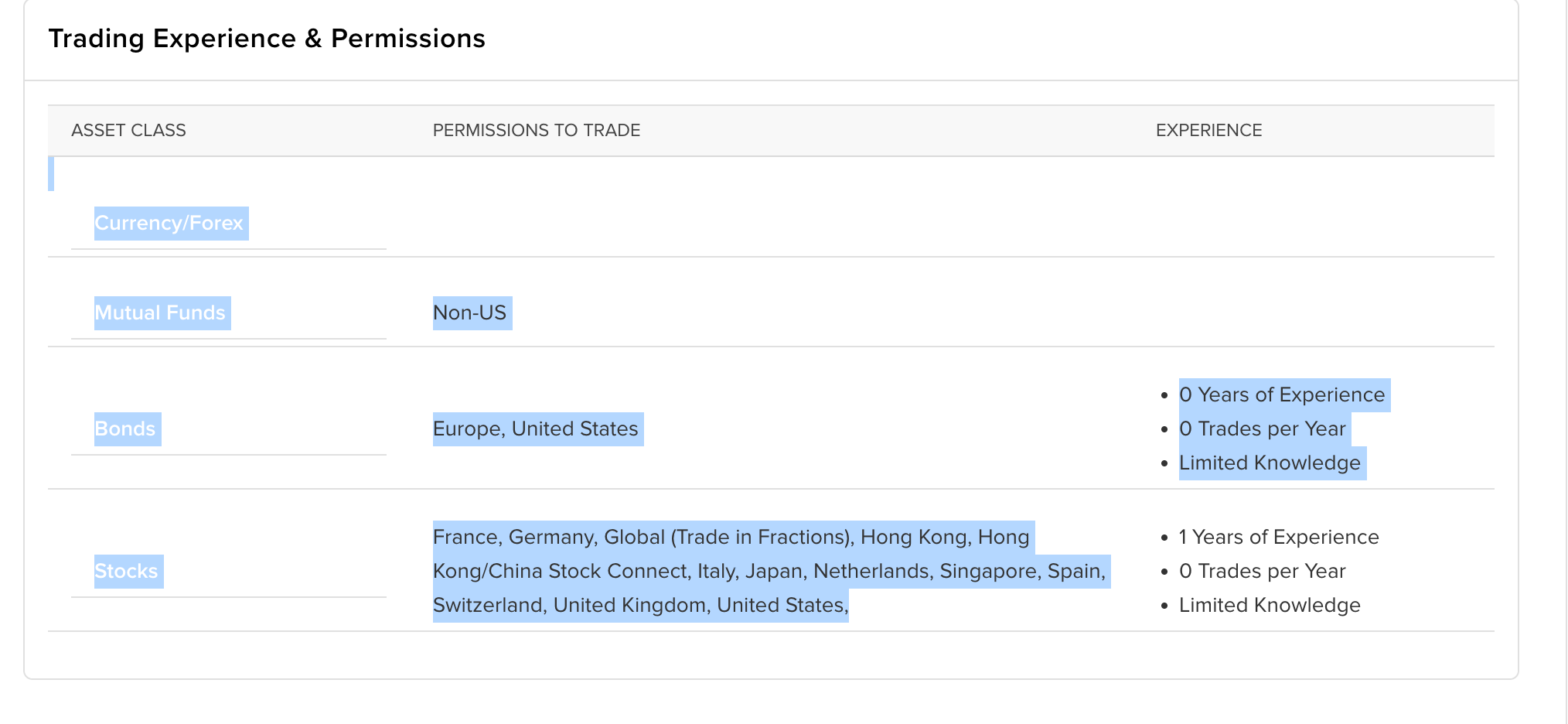
Review the selected asset classes and markets, then press Continue to apply your changes.