Update your financial information
How to update your financial profile and source of wealth in IBKR.
Updated 16 June 2026
You can update your financial profile — including your source of wealth — directly in the IBKR Client Portal.
1. Open Settings
Click on Settings in the top-right corner of the Client Portal.
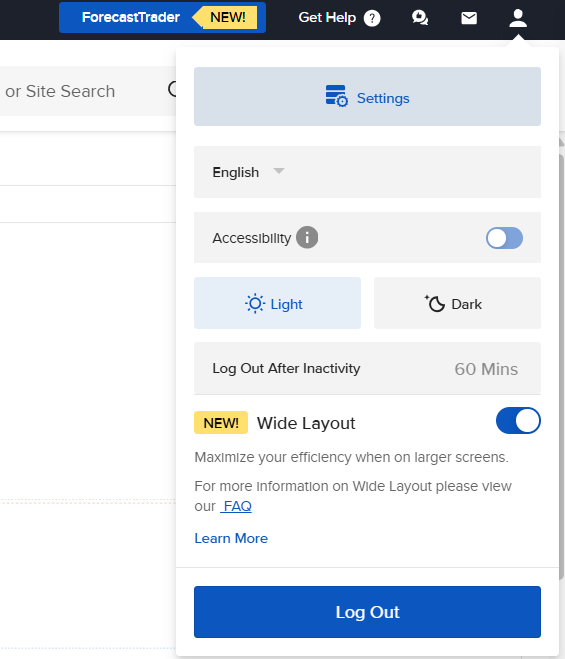
Click the Settings icon in the top-right corner to open the menu.
2. Go to Financial Profile
From the Account Settings page, click on Financial Profile.
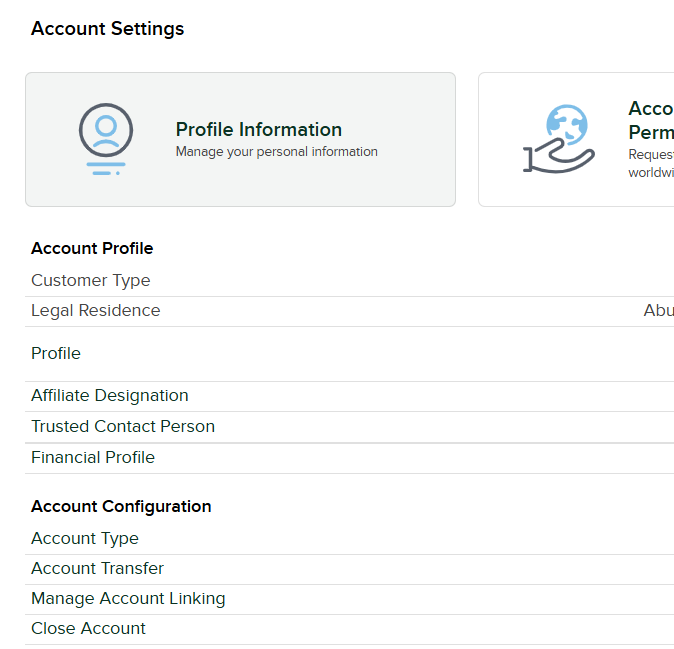
Select Financial Profile from the Account Profile section.
3. Edit Source of Wealth
On the Financial Profile page, find the Source of Wealth row and click Edit.
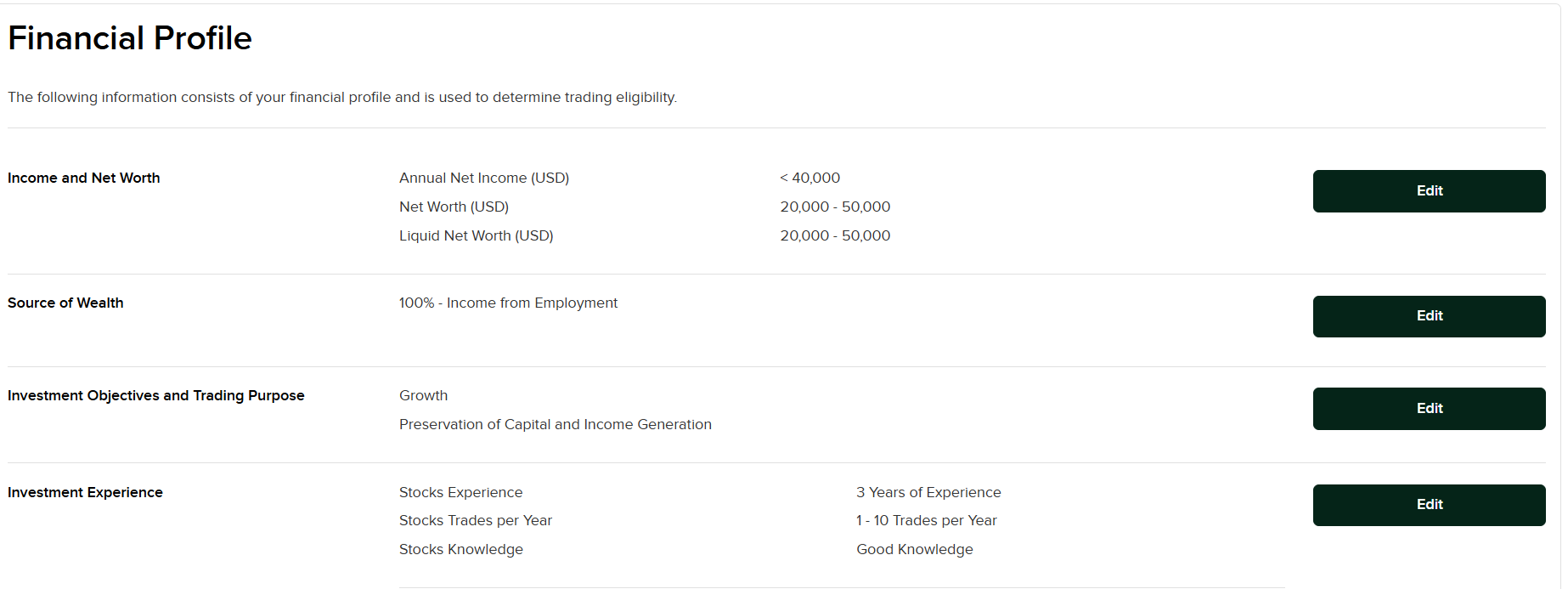
Click Edit next to Source of Wealth to update your selections.
4. Select your source of wealth and continue
Tick all the categories that apply to your net worth, then click Continue.
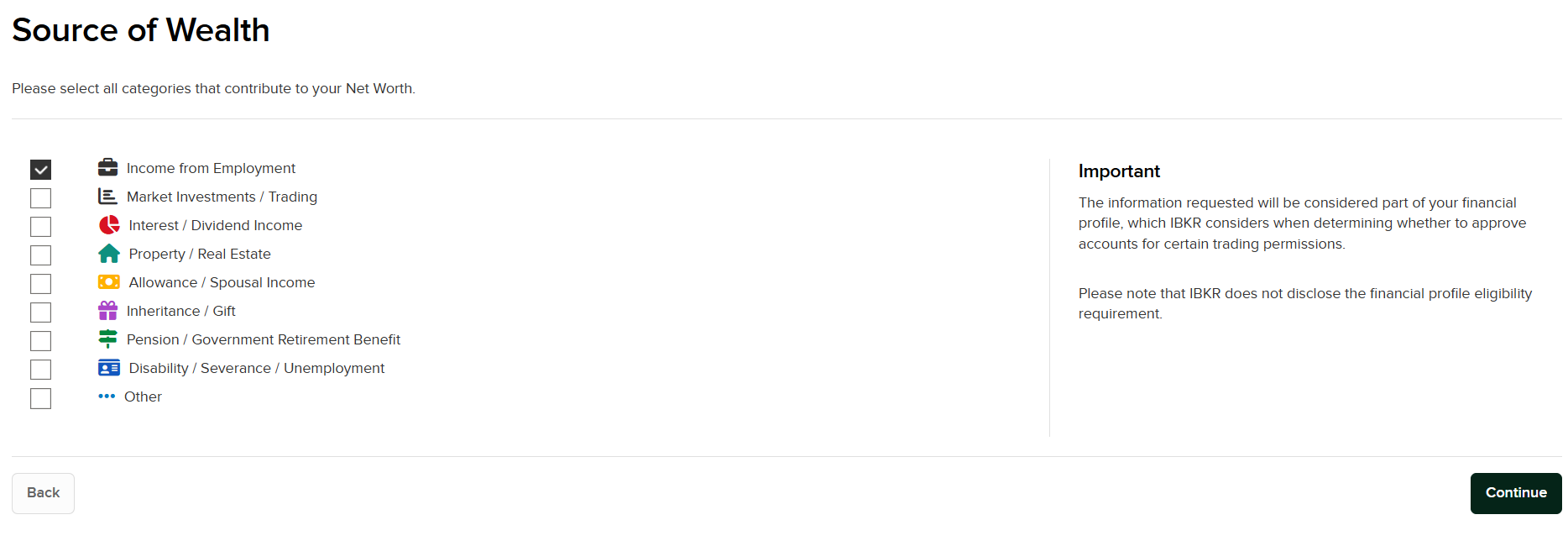
Check all categories that contribute to your net worth, then press Continue.